Rust Industrial — Visual GuideReal wiki component icons + four working automation circuits with detailed step-by-step build walkthroughs and item-flow explanations. Last updated May 18, 2026.
All component images are pulled live from the official Facepunch Rust wiki at files.facepunch.com. If an image doesn't load you're offline — re-open the page when you have a connection.
- 1. Component library — every tool, what it does, when to use it
- 2. Connection rules + the 16-adapter network limit
- 3. Recipe: Drop-Box Auto-Sort (deposit once, sorted everywhere)
- 4. Recipe: Auto-Smelt Furnace Bank (ore in, ingots out)
- 5. Recipe: Auto-Craft Workbench / Crafter Chain
- 6. Recipe: Auto-Recycler (loot in, scrap out)
- 7. Power budget summary
- 8. Common mistakes
1. Component library
Each card below shows the in-game item icon, its role in the system, what its ports do, and when you'd actually reach for it. The wiki link beside each component goes to the official Facepunch reference for that item.

The single most-placed piece in any industrial setup. You snap a Storage Adapter onto the side of any container — wooden box, large wood box, fridge, drop box, even some monument-style containers — and that container becomes accessible to pipes. Without an adapter, a box is just a box; with an adapter, it's a node in your network.
Each adapter has one face that points outward (where the pipe connects) and locks onto the container side it's placed against. One adapter per container side, but you can put adapters on multiple sides of the same box if you need it to feed multiple destinations.
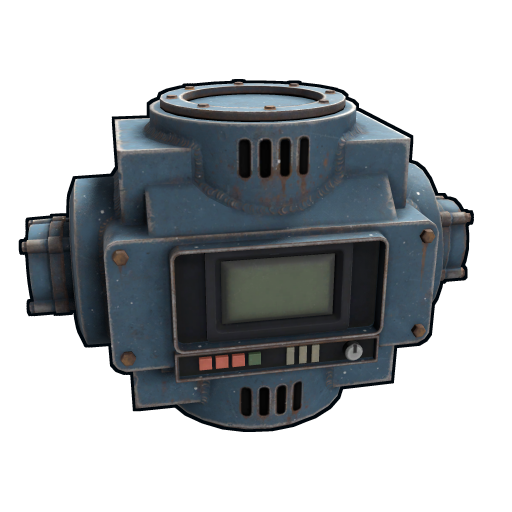
The brain of every network. A conveyor has an input pipe port on one side and an output pipe port on the other, and 12 filter slots inside its UI. Every 5 seconds (server default), it scans the containers connected to its input side and tries to move up to 32 items per stack through to whatever containers are on its output side — but only if those items match its filter.
The filter is the magic. You drag items or entire item categories (Components, Weapons, Ammunition, Resources, Food, Tool, etc.) into the 12 slots. Items matching pass through; everything else gets ignored. Empty filter means "let everything pass."
Conveyors are how you sort. Want components in one box and weapons in another? Two conveyors, two different filters, two output destinations. Want a furnace to only accept ore? One conveyor with an ore filter between the ore box and the furnace.
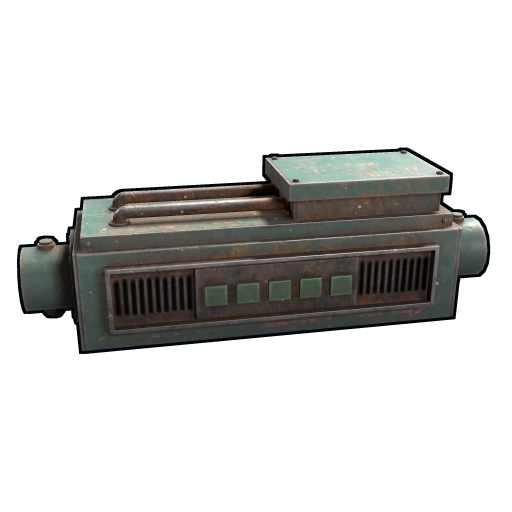
Pick any recipe you've researched (gunpowder, 5.56 ammo, syringes, bandages, anything you can craft manually), drop it into the crafter's recipe slot, and it crafts continuously as long as the ingredients are being piped in via its IN port. Finished items pop out the OUT port for another conveyor to grab.
One crafter = one recipe. Want gunpowder AND 5.56 in the same network? Two crafters in series — the first makes gunpowder, a buffer box stores it, the second pulls gunpowder + frags from a combined input and makes 5.56.
The crafter has built-in pipe ports — you don't need a Storage Adapter on it. It also doesn't count separately against the 16-adapter limit (only the boxes on either side of it do).
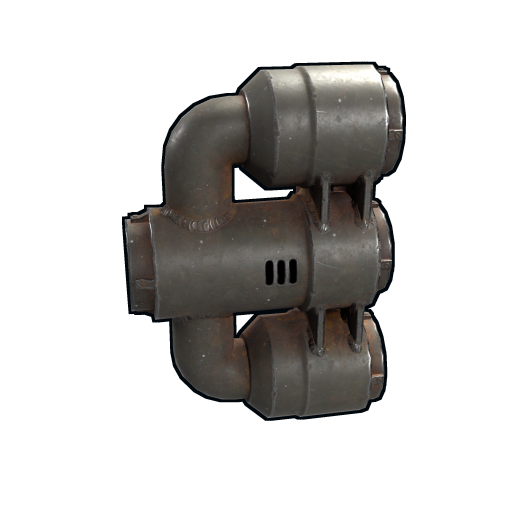
You'll use this any time multiple sources need to feed the same destination. The classic example is the recycler — it has 6 output slots, and you don't want 6 separate output boxes. Run 3 combiners (each combining 2 outputs into 1), then one final combiner merges those into a single pipe leading to your "scrap and parts" box.
The other big use: when an industrial crafter needs two ingredient streams (say, gunpowder from your gunpowder buffer + metal frags from your supply box), a combiner merges both pipes into the crafter's single input port.
No power, no setup, no UI. Just a passive routing piece.
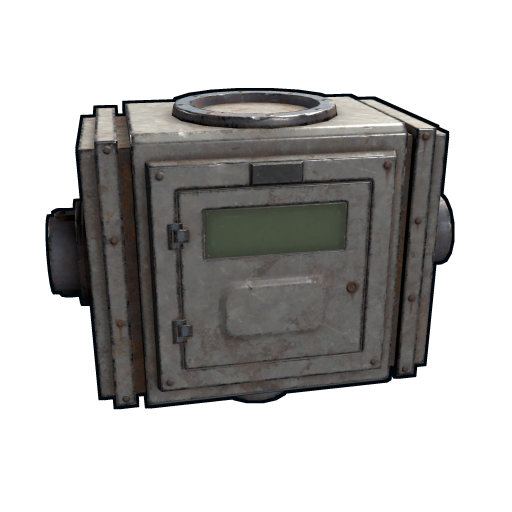
The combiner's mirror image. One input, three equal outputs. Useful when you want one stream of items distributed evenly to multiple destinations — for example, splitting one conveyor's ore output across 3 parallel electric furnaces so they all smelt at the same time.
Use sparingly. Most networks prefer dedicated conveyors per branch (one conveyor per destination, with its own filter) because that gives you per-destination control. The splitter is for cases where you genuinely want the same item type fanned out equally.
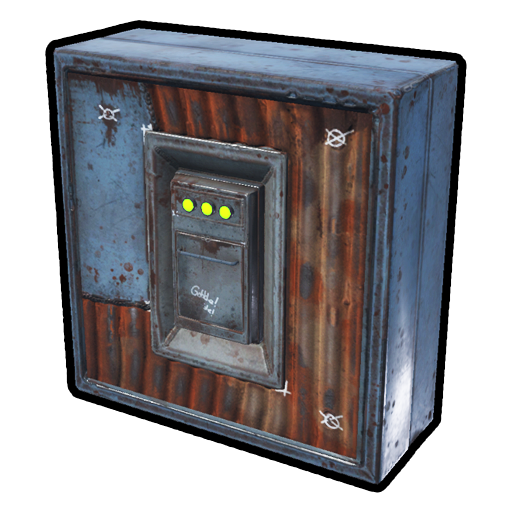
A drop box is mounted into a wall frame (like a window). People on the outside of the wall can put items in; only the owner standing inside can take items out. This is what makes it the perfect entry point for an auto-sort network — your teammates can deposit loot from outside the loot room without ever entering it.
Put a Storage Adapter on its inside-facing side and pipe that adapter into your sort conveyors. Anything dropped in immediately gets distributed.
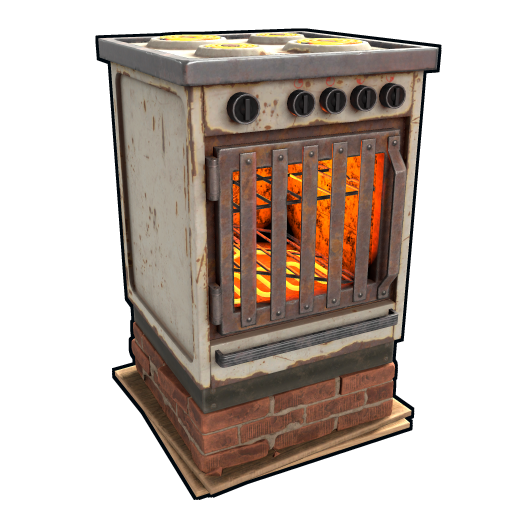
The smelter of choice for any automated base. Unlike the wood-fueled small furnace, the electric furnace runs on 60 rW of electricity and refuses to burn wood (wood placed in it just sits in the slot). It also can't be extinguished by a sprinkler — meaning it lives happily next to your greenhouse.
Has built-in pipe ports on its input and output faces. Pipe in raw ore, pipe out smelted metal/sulfur/HQM. Stack multiple electric furnaces fed by one splitter for parallel smelting.

Found at most monuments and can also be crafted at Workbench 3. The recycler is self-powered — no rW needed. Put items in the input, hit the on switch (or pipe-feed and it auto-runs), and it spits scrap + raw components out across 6 output slots.
For automation: place a Storage Adapter on the input face and pipe items into it; on the output side, use 3 combiners to merge the 6 output slots down into one pipe leading to a "scrap and parts" box. Or combine output slots directly using built-in pipe ports if your version supports it.
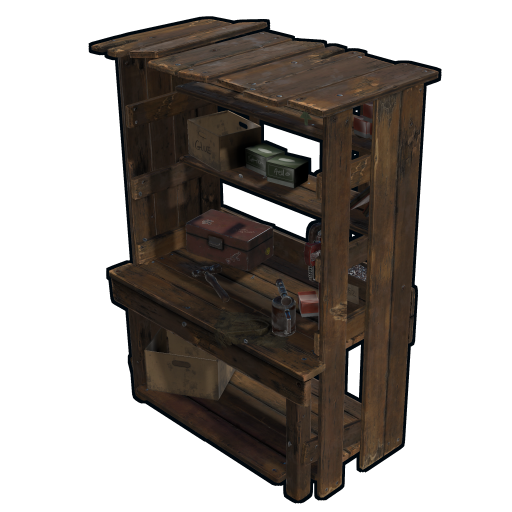
Workbenches are for manual crafting and item research — they're not the same as the Industrial Crafter. Use a workbench when you want to research an item to unlock it permanently, or when you're hand-crafting one-offs. Use an Industrial Crafter when you want a recipe produced continuously and automatically.
That said, workbenches can be pipe-connected via Storage Adapter. Some advanced setups feed scrap directly to a workbench so you can semi-automate research, or pull manually-crafted items out via a conveyor. For most builds, just place WB1 → WB2 → WB3 in a row in your crafting room and use them by hand.
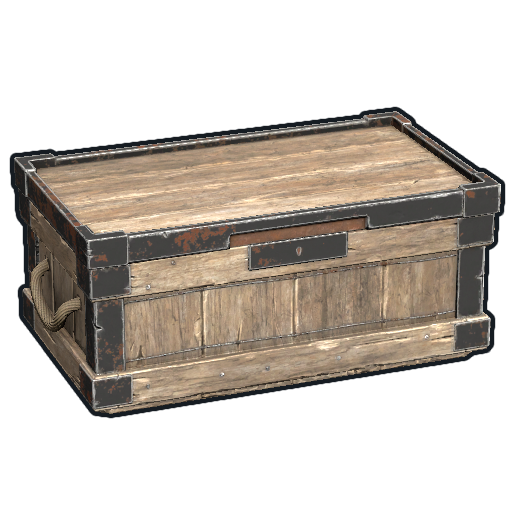
The default storage container in any industrial network. 30 slots, accepts adapters on multiple sides. Cheap and easy. Most boxes in this guide's diagrams are large wood boxes — small wood boxes work the same way but only have 12 slots.
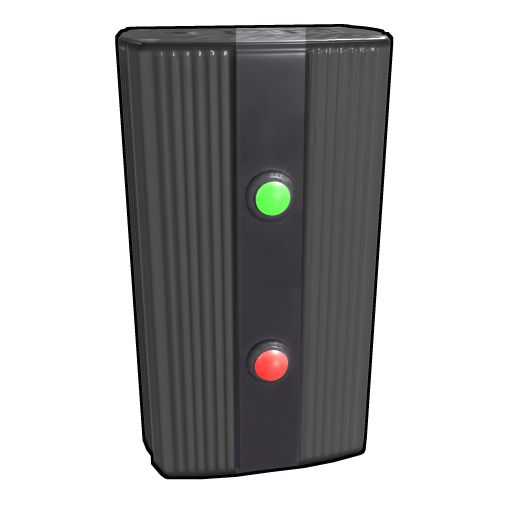
Not industrial per se, but every industrial network needs power, and the branch is how you distribute it. Set a branch to "5 rW out" and 5 rW peels off the main line into your conveyor while the rest passes through to other loads.
Always prefer a branch over an Electrical Splitter for power distribution. Splitters waste rW (each output gets 1/3 of the input even if a load only needs a fraction); branches deliver exactly what you set.
About industrial pipes
Pipes aren't a separate craftable item — you create them by holding the wire tool, aiming at one industrial port, right-clicking, then aiming at another port and right-clicking again. The pipe auto-generates between the two points. Pipes pass through wall frames but not through solid foundations, so plan vertical pipe runs around foundation pieces.
2. Connection rules and the 16-adapter network limit
Three rules govern how industrial networks come together. The diagram below illustrates each one with concrete examples — left side shows what doesn't work, right side shows the correct way.
3. Recipe — Drop-Box Auto-Sort
The single most useful network. Drop a backpack of mixed monument loot into one box at your front door; 30 seconds later it's distributed across category boxes in your loot room. Saves literal hours per wipe.
Parts you need
×1Drop Box×5Storage Adapter×4Industrial Conveyor×4Large Wood Box×1Electrical Branch (8 rW)The network — top-down view
Build it — step by step
- Mount the Drop Box. Place a wall frame in your front-door wall, then deploy the Drop Box into the frame. The deposit slot ends up on the outside; the inventory side faces in.
- Adapter on the Drop Box. Stand inside, look at the inside-facing side, and place a Storage Adapter. This adapter is what the pipes will attach to.
- Place the 4 destination boxes. Line up four Large Wood Boxes along an interior wall. Spaces between them are fine — the pipes will route. Put an adapter on the side of each box facing the conveyors.
- Place the 4 conveyors. Between the drop box and the destination boxes, place 4 Industrial Conveyors in a row. The pipe ports on each conveyor face inward (toward the drop box on one side, the destination box on the other).
- Run pipes from the Drop Box adapter to each conveyor's input port. Equip the wire tool. Aim at the drop box adapter, right-click to start a pipe. Aim at the input port of Conveyor 1, right-click to finish. Repeat for Conveyors 2, 3, and 4 — all four pipes start at the same drop-box adapter.
- Run pipes from each conveyor's output to its destination box adapter. Same wire-tool process. Conveyor 1 → Components box. Conveyor 2 → Weapons box. Conveyor 3 → Resources box. Conveyor 4 → Misc box.
- Wire power. Take 8 rW off your main battery via an Electrical Branch (set the branch to 8 rW). Run a wire from the branch's "branch out" port to each conveyor's power input. You can daisy-chain through small electrical branches set to 2 rW each if you want clean per-conveyor power.
- Set the filters. Open each conveyor's UI (look at it, press E). Drag categories into the filter slots:
- Conveyor 1: drag the Component category
- Conveyor 2: drag the Weapon category
- Conveyor 3: drag the Resources category (or specific items like Wood, Stone, Metal Frags)
- Conveyor 4: leave the filter empty — it'll grab anything the others didn't
- Test it. Throw a bunch of mixed monument loot into the drop box. Within ~30 seconds the items should appear in their correct destination boxes.
Watch a Tech Trash travel through the network
- You return from a Power Plant run. Your backpack has 15 Tech Trash, 3 Rifle Bodies, an MP5, and some sulfur. You stand outside your base and deposit everything into the Drop Box's deposit slot.
- t = 0s: The items are sitting in the drop box inventory. The conveyors haven't ticked yet.
- t = 5s: All four conveyors tick simultaneously. Each scans the drop box. Conveyor 1 sees Tech Trash — that's Components, matches its filter. It grabs 15 (one stack, under the 32-per-tick limit) and pushes them into the Components Box.
- Same tick: Conveyor 2 sees Rifle Bodies and the MP5 — both Weapons. It grabs them and pushes to the Weapons Box.
- Same tick: Conveyor 3 sees Sulfur — that's Resources. It grabs and pushes to the Resources Box.
- t = 5s: Drop box is now empty. Conveyor 4 (the catchall) has nothing to grab.
- You open your Components Box: 15 Tech Trash. Weapons Box: 3 Rifle Bodies + 1 MP5. Resources Box: sulfur. Total elapsed: 5 seconds. You took zero clicks to sort.
4. Recipe — Auto-Smelt Furnace Bank
Dump raw ore into an input box, walk away, return to find ingots in an output box. Electric furnaces never run out of fuel and smelt 66% faster than the small furnace.
Parts you need
×2Large Wood Box (ore in + ingots out)×2Storage Adapter×2Industrial Conveyor (in + out)×1Industrial Splitter×1Industrial Combiner×3Electric Furnace×2Electrical Branch (4 rW + 180 rW)Build it — step by step
- Place the Ore Input Box. Large Wood Box on the left side of your furnace room. Adapter on the side facing the input conveyor.
- Place 3 Electric Furnaces in a vertical stack or row. They need clearance on input (pipe in) and output (pipe out) sides. Electric furnaces have built-in pipe ports so no adapter needed on them.
- Place the Ingots Output Box. Large Wood Box on the right. Adapter on the side facing the output conveyor.
- Place the Input Conveyor. Between the Ore Input Box and the splitter. Open its UI and drag Metal Ore, Sulfur Ore, High Quality Metal Ore into the filter slots. This makes sure only ore gets sent to the furnaces — wood and other junk gets ignored.
- Place the Industrial Splitter. Right after the input conveyor's output port. The splitter takes 1 pipe in and outputs to 3 equal pipes — one for each furnace.
- Run pipes from the splitter's 3 outputs to each furnace's input port. Use the wire tool. Pipe 1 → Furnace 1 in. Pipe 2 → Furnace 2 in. Pipe 3 → Furnace 3 in.
- Run pipes from each furnace's output port into the Industrial Combiner. Three pipes enter the combiner, one pipe exits.
- Run a pipe from the combiner's output into the Output Conveyor's input port. Output Conveyor has an empty filter (everything passes — only smelted ingots arrive here anyway).
- Run a pipe from the Output Conveyor's output port to the Ingots Box adapter.
- Wire power. Two branches needed: 4 rW for the conveyors (2 conveyors × 2 rW each) and 180 rW for the furnaces (3 × 60 rW). Both pull from your main battery output.
- Test. Dump 100 metal ore into the Ore Input Box. Within 30 seconds the ore should distribute across all three furnaces and start smelting. As ingots finish, they pop out into the Output Conveyor and end up in the Ingots Box.
Watch a piece of Metal Ore travel through the network
- You finish a mining trip. 200 metal ore in your inventory. You walk inside, open the Ore Input Box, dump everything in.
- t = 0s: 200 ore sits in the input box.
- t = 5s: Input Conveyor ticks. Filter matches Metal Ore. Grabs up to 32 ore (one tick's worth), pushes them to the splitter.
- Splitter: divides the 32 ore evenly across its 3 outputs — roughly 10-11 ore to each furnace input. Furnaces start smelting immediately when ore arrives.
- Smelting: each electric furnace consumes 60 rW while running. Smelt time per metal ore is ~3.5s in electric furnace (vs ~5s in small furnace). After ~3.5s, 1 metal ore → 1 metal fragment.
- t ≈ 10s: ingots start landing in each furnace's output slot.
- Combiner: takes the 3 furnace output pipes and merges into 1. No delay — items pass straight through.
- t ≈ 15s: Output Conveyor ticks. Pulls finished frags from the combined pipe. Pushes to Ingots Box.
- You walk away. Meanwhile every 5 seconds another batch of 32 ore moves into the splitter, gets divided, smelts, comes out the other side. 200 metal ore is fully processed in about 5 minutes — three times faster than a single small furnace.
5. Recipe — Auto-Craft Workbench / Crafter Chain
Two industrial crafters in series: the first turns sulfur + charcoal into gunpowder, the second turns gunpowder + metal frags into 5.56 rifle ammo. Feed it raw materials, get finished ammo. Optionally pipe the final output into an auto-turret for self-reloading defense.
Parts you need
×4Large Wood Box (2 ingredient + 1 buffer + 1 final)×4Storage Adapter×2Industrial Conveyor×2Industrial Crafter×1Industrial CombinerBuild it — step by step
- Place the Sulfur + Charcoal supply box. Large Wood Box. Adapter on the side facing Conveyor 1.
- Place Conveyor 1. Between supply box and Crafter 1. Filter: Sulfur, Charcoal.
- Place Crafter 1. Open its UI. Drag Gunpowder into the recipe slot.
- Place the Gunpowder buffer box. Adapters on both sides — left receives from Crafter 1, right outputs to combiner.
- Pipe: Crafter 1 OUT → buffer box left adapter.
- Place the Metal Frags supply box. Adapter facing the combiner.
- Place the Industrial Combiner. Both gunpowder buffer and frags supply pipe into it.
- Pipe: buffer right adapter → Combiner input 1. Frags supply → Combiner input 2.
- Place Conveyor 2. Between Combiner and Crafter 2. Filter: Gunpowder, Metal Frags.
- Place Crafter 2. Set recipe to 5.56 Rifle Ammo.
- Pipe: Combiner OUT → Conveyor 2 IN → Crafter 2 IN.
- Place the final ammo box. Pipe Crafter 2 OUT → final box adapter.
- Wire power. 8 rW total (2 conveyors x 2 rW + 2 crafters x 2 rW).
- Test. Dump 100 sulfur + 30 charcoal + 50 metal frags. Within 5 minutes, 5.56 ammo accumulates.
Watch a sulfur grain travel through the network
- You dump 100 sulfur + 30 charcoal into the supply box.
- t = 5s: Conveyor 1 ticks. Grabs sulfur + charcoal, pushes to Crafter 1.
- Crafter 1: sees ingredients + Gunpowder recipe. After 5 sec, 1 gunpowder appears in its output slot.
- Pipe: gunpowder exits to the buffer box.
- Combiner: merges gunpowder + frags into one pipe.
- Conveyor 2: pulls merged stream, pushes to Crafter 2.
- Crafter 2: crafts ~10 rounds of 5.56 every 5 sec.
- Final pipe: 5.56 ammo drops into the final box.
- Result: 100 sulfur + 30 charcoal + 50 frags → ~100 rounds of 5.56 over 5-10 minutes, fully passive.
6. Recipe — Auto-Recycler
Dump unsorted loot into a "to recycle" box, get scrap and components out the other side. Chain it with the Drop-Box Auto-Sort and you have an end-to-end loot pipeline: walk in, dump backpack, all loot sorted and recycled with zero clicks.
Parts you need
x2Large Wood Boxx2Storage Adapterx2Industrial Conveyorx3Industrial Combinerx1RecyclerBuild it — step by step
- Place the To Recycle box. Large Wood Box. Adapter on side facing Conveyor IN.
- Place the Recycler. Craft at WB3 (500 frags + 75 HQM + 2 gears + 1 sewing kit). Self-powered.
- Place Conveyor IN. Between dump box and Recycler. Filter empty (pre-sort what goes into the dump box).
- Pipe: dump box adapter → Conveyor IN → Recycler input chute (top side).
- Plan combiners. Recycler has 6 outputs. Need 3 pair-combiners + 1 final combiner.
- Pipe 6 outputs to 3 pair-combiners. Outputs 1+2 → cmb1. Outputs 3+4 → cmb2. Outputs 5+6 → cmb3.
- Pipe 3 pair-combiners → 1 final combiner.
- Place Conveyor OUT. Between final combiner and Scrap+Parts box. No filter.
- Pipe: Final Combiner OUT → Conveyor OUT → Scrap+Parts box adapter.
- Wire power. 4 rW total (2 conveyors x 2 rW). Recycler self-powers.
- Pre-filter what you dump in! The recycler destroys weapons, food, tools — only put items you're SURE you want recycled.
- Test. Dump 10 Rifle Bodies. Within 60s, 250 scrap + a few HQM lands in the Scrap+Parts box.
Watch a Rifle Body travel through the network
- You drop 5 Rifle Bodies into the To-Recycle box.
- t = 5s: Conveyor IN ticks. Grabs the 5 Rifle Bodies, pushes into the Recycler's input chute.
- Recycler: starts processing. Each rifle body takes ~5 sec. Outputs 25 scrap + 1 HQM per body across 6 output slots.
- Combiners: 6 outputs feed 3 pair-combiners → 1 final combiner. Items pass through immediately.
- Conveyor OUT: ticks every 5s. Grabs from combined pipe, pushes to Scrap+Parts box.
- t ~ 30s: 125 scrap + 5 HQM in your Scrap+Parts box. Zero clicks.
7. Power budget summary
| Network | Conveyors | Crafters | Furnaces | Continuous | Peak |
|---|---|---|---|---|---|
| Drop-Box Auto-Sort | 4 x 2 = 8 rW | — | — | 8 rW | 8 rW |
| Auto-Smelt Furnace Bank | 2 x 2 = 4 rW | — | 3 x 60 = 180 rW | 4 rW | 184 rW |
| Auto-Craft Chain | 2 x 2 = 4 rW | 2 x 2 = 4 rW | — | 8 rW | 8 rW |
| Auto-Recycler | 2 x 2 = 4 rW | — | — | 4 rW | 4 rW |
| All together | 20 rW | 4 rW | 180 rW | 24 rW | 204 rW |
204 rW peak is manageable: one wind turbine at full elevation (150 rW peak) + 2-3 solar panels + one Large Battery covers it during daylight. At night, skip furnace runs; the 24 rW continuous load runs ~17 hours off a full large battery.
8. Common mistakes
| Mistake | What happens | Fix |
|---|---|---|
| Connecting two conveyors directly via pipe | Items sit idle, nothing moves | Put a container with adapter between them |
| Empty filter when you wanted to block | Everything passes | Empty filter = pass-everything. To block, don't connect the conveyor or cut its power. |
| Forgot to power a conveyor | Items sit in input box | Every conveyor/crafter needs 2 rW. Trace your branches. |
| Splitter where a Branch was correct | Wasted power | Industrial Splitter for items, Electrical Branch for power |
| Filter category contains items you wanted excluded | Junk in your good box | Use specific-item filters for fine control |
| Exceeded 16-adapter limit | New connections fail or items stop moving | Split into two unconnected networks |
| Industrial Crafter has no recipe set | Crafter sits idle even with ingredients | Open crafter UI, drag in the recipe |
| Wood in the ore box | Furnace input slot fills with wood, smelting stops | Filter input conveyor to ore types only |
| Recycling weapons by accident | Lost the weapon | Pre-sort before recycling |
| Pipes won't connect through a foundation | Pipe-tool shows red | Pipes pass through wall frames only. Route around foundations. |
For mechanics deep-dive, see 04_Industrial.md. For powering this rig, see 03_Electricity.md. Component images from wiki.facepunch.com/rust.